
Our Web Design Blog
If you need to know more about any aspect of design that is not listed on our web design blog, please do hesitate to contact us – we are here to help!
Our posts have more information than just a web design blog, we try to post details that we have been asked and if you would like us to write a post on a topic of your choice, just ask! We love to design, from websites to bespoke systems and everything in between. We fix computers and phones and spend our lives resolving all types of computer issues so please do not limit yourself to web design blog questions.
Please do not hesitate to contact us if you have any questions – We are here to help!
Tutorials

Remove Product Categories from the Shop Page
Remove Product Categories from the Shop Page In this post we will show you how you can easily products with specific categories from the Woocommerce Shop Page with PHP code. In this example, the first three products on the Shop Page are assigned to the category...

Replace Shop Page Title
Replace Shop Page Title In this post you will learn how you can change the "Shop" title on the Woocommerce Shop Page to any text you want with PHP. This is how the Shop Page looks like before changing the code: You can change the text by adding the...
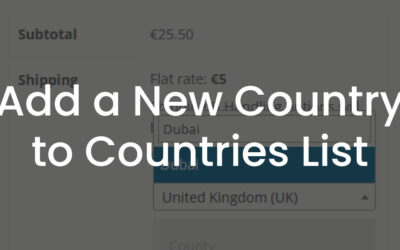
Add a New Country to Countries List
Add a New Country to Countries List In this post we will show you how you can add a custom country to the Woocommerce countries list, so you can sell to more countries. In this example, we will add "Dubai" to the countries list. This will be done using PHP code....

Remove the Breadcrumbs from Woocommerce Pages
Remove the Breadcrumbs from Woocommerce Pages In this post you will learn how you can remove the Breadcrumbs Text from all Woocommerce Pages by adding some PHP code. This is how the Woocommerce Pages look like before changing the code: You can change the...
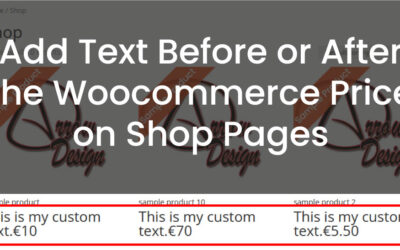
Add Text Before or After the Woocommerce Price on Shop Pages
Add Text Before or After the Woocommerce Price on Shop Pages In this post we will show you how to add text before or after the Woocommerce prices on all Shop Pages. In this example, we will add text before the prices. This is how the Shop Pages look like before...
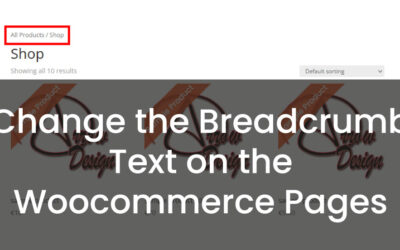
Change the Breadcrumb Text on the Woocommerce Pages
Change the Breadcrumb Text on the Woocommerce Pages In this post we will show you how you can change the breadcrumbs text on all Woocommerce pages with PHP code. In this example, we change the "Home" text to "All Products". This is how the Woocommerce Pages...
Web Design
No Results Found
The page you requested could not be found. Try refining your search, or use the navigation above to locate the post.
Software Design
No Results Found
The page you requested could not be found. Try refining your search, or use the navigation above to locate the post.
MS Access
No Results Found
The page you requested could not be found. Try refining your search, or use the navigation above to locate the post.
No Results Found
The page you requested could not be found. Try refining your search, or use the navigation above to locate the post.
WooCommerce
Remove the Breadcrumbs from Woocommerce Pages
Remove the Breadcrumbs from Woocommerce Pages In this post you will learn how you can remove the Breadcrumbs Text from all Woocommerce Pages by adding some PHP code. This is how the Woocommerce Pages look like before changing the code: You can change the...
Add Text Before or After the Woocommerce Price on Shop Pages
Add Text Before or After the Woocommerce Price on Shop Pages In this post we will show you how to add text before or after the Woocommerce prices on all Shop Pages. In this example, we will add text before the prices. This is how the Shop Pages look like before...
Change the Breadcrumb Text on the Woocommerce Pages
Change the Breadcrumb Text on the Woocommerce Pages In this post we will show you how you can change the breadcrumbs text on all Woocommerce pages with PHP code. In this example, we change the "Home" text to "All Products". This is how the Woocommerce Pages...
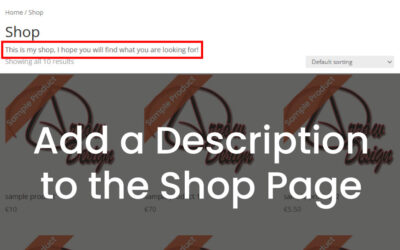
Add a Description to the Shop Page
Add a Description to the Shop Page In this post you will learn how you can add a custom description to your Woocommerce Shop Page below the "Shop" title by adding a PHP code. This is how the Shop Page looks like before changing the code: You can add the...

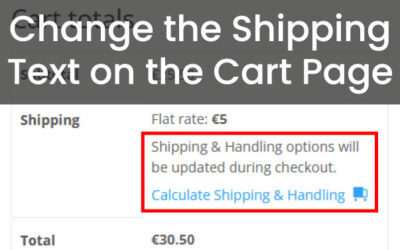
Change the Shipping Text on the Cart Page
Change the Shipping Text on the Cart Page In this post you will learn how to change the "Shipping" text on the Woocommerce Cart Page in the "Cart totals" section by adding a PHP code. We will change the text to "Shipping & Handling" in this example. This is...
WordPress
Add a New Country to Countries List
Add a New Country to Countries List In this post we will show you how you can add a custom country to the Woocommerce countries list, so you can sell to more countries. In this example, we will add "Dubai" to the countries list. This will be done using PHP code....
Remove the Breadcrumbs from Woocommerce Pages
Remove the Breadcrumbs from Woocommerce Pages In this post you will learn how you can remove the Breadcrumbs Text from all Woocommerce Pages by adding some PHP code. This is how the Woocommerce Pages look like before changing the code: You can change the...
Add Text Before or After the Woocommerce Price on Shop Pages
Add Text Before or After the Woocommerce Price on Shop Pages In this post we will show you how to add text before or after the Woocommerce prices on all Shop Pages. In this example, we will add text before the prices. This is how the Shop Pages look like before...
Change the Breadcrumb Text on the Woocommerce Pages
Change the Breadcrumb Text on the Woocommerce Pages In this post we will show you how you can change the breadcrumbs text on all Woocommerce pages with PHP code. In this example, we change the "Home" text to "All Products". This is how the Woocommerce Pages...
Add a Description to the Shop Page
Add a Description to the Shop Page In this post you will learn how you can add a custom description to your Woocommerce Shop Page below the "Shop" title by adding a PHP code. This is how the Shop Page looks like before changing the code: You can add the...
More Posts
No Results Found
The page you requested could not be found. Try refining your search, or use the navigation above to locate the post.
Leave a message and we will be straight back to you!
Social Media
Payments Accepted

Request a Callback
Contact Details
Phone: 01 536 3049
Mobile: (087) 13 77 382
Email: info@arrowdesign.ie
Address:
The Chase, Arkle Rd,
Sandyford, Dublin 18,
D18 Y3X2