

API Connector For Daft Listings
€199.00 / year
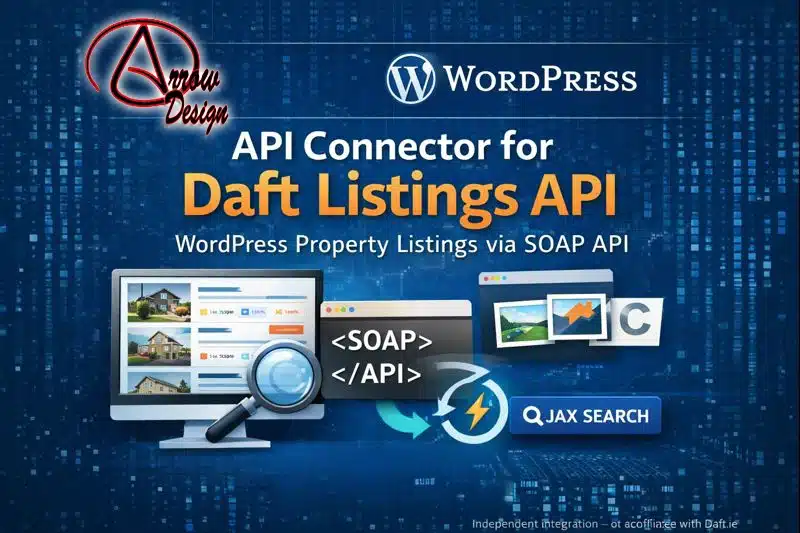
Connect WordPress to the Daft.ie Listings API (SOAP) and display real property results on your website in minutes.
API Connector for Daft Listings lets you validate your Daft API key, set default query parameters, and output listings anywhere using clean shortcodes. Includes flexible card/list layouts, optional image gallery popups, caching, lazy media loading, and a front-end search form with AJAX results—without custom theme work.
Put your Daft-powered listings on your own website — without the ongoing dev cost
If you’re running a property website, an agency site, or a developer’s marketing site, there’s a quiet “tax” you pay every week:
-
Updating listings pages manually
-
Fixing broken embeds
-
Recreating the same “For Sale / To Let” pages again and again
-
Losing enquiries because your site feels stale or incomplete
-
Sending traffic away to third-party portals instead of keeping visitors on your own domain
And even when you do have access to a listings feed, turning that data into a clean, fast, search-friendly experience on WordPress often becomes a project. A developer builds something “custom,” it’s hard to maintain, and six months later you’re afraid to touch it.
API Connector for Daft Listings is designed to remove that tax.
It connects your WordPress site to the Daft.ie property listings API (SOAP) (using an API key provided to your organisation), then lets you display listings using simple shortcodes—with layout controls, styling options, and performance-focused modules built in.
No complex theme edits. No brittle iframes. No “plugin soup.”
Just a purpose-built connector that does one job well:
get listings onto your WordPress site quickly, cleanly, and reliably.
Important: This plugin is an independent integration tool. It is not affiliated with, endorsed by, or supported by Daft.ie (the plugin itself states this in the admin UI).
What you get
1) A proper WordPress admin settings page (not a “settings maze”)
You get a dedicated WP admin menu: “API For Daft” with a structured, understandable interface that covers:
-
API Key entry (stored in wp_options)
-
Validate button to confirm the key works from your server
-
WSDL visibility (handy for troubleshooting)
-
Module toggles
-
Default query JSON management
-
Styling controls for layout and display
-
Front-end search styling controls (CSS variables-based)
Also included: a clear activation warning if the server lacks the PHP SOAP extension (which is required for SOAP API access).
This matters because most “connector” plugins fail at the basics: they technically work, but they don’t support the real world—where hosting varies, and you need quick diagnostics without a developer on standby.
2) A single flexible shortcode for listings output
The primary shortcode is:
[arrowd_acdl_listings]
It supports attributes that mirror the way real property pages are built:
-
ad_type— sale, rental, commercial, new_development, shortterm, sharing, parking -
scope— private or commercial -
contract— for commercial scope filtering: sale, rental, any -
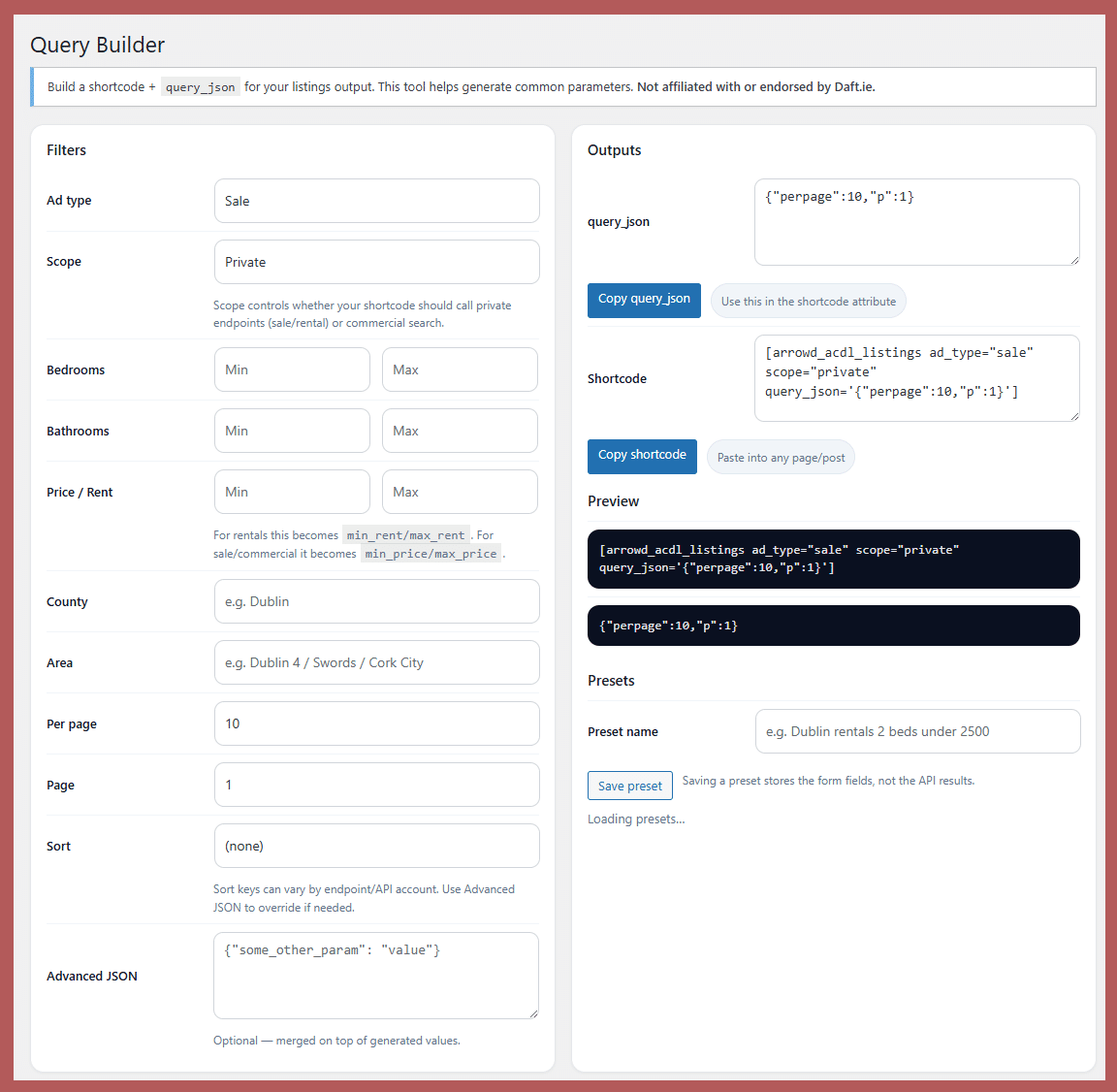
query_json— pass a JSON object of query parameters (merged on top of defaults) -
perpageandp— convenience overrides for pagination-style requests
This is the sweet spot: simple enough to use quickly, but flexible enough to fit real listing scenarios without custom code.
3) Legacy-friendly helper shortcodes (for faster drop-in replacement)
If you’re migrating from theme-specific shortcodes or older setups, you get helper shortcodes like:
-
[arrowd_acdl_displayPropertiesForSale] -
[arrowd_acdl_displayPropertiesForRent] -
[arrowd_acdl_displayPropertiesForPrivateSale] -
[arrowd_acdl_displayPropertiesForPrivateRent]
These exist for a reason: migrations fail when the “new way” forces you to rebuild every page. With these, you can replace output quickly and refine later.
4) Clean listing presentation that looks modern out of the box
Listings render in a structured card system that includes:
-
Address (linked to the Daft URL)
-
Price handling with smart fallback logic (e.g., uses formatted strings where available, falls back to numeric fields, and finally to “Price on application”)
-
Property type
-
Optional “Details” tooltip (from the description)
-
Optional area display (sq ft converted to m² where relevant, or direct square metres when supplied)
-
Optional bedrooms/bathrooms
-
Optional features list
The design is intentionally neutral so it fits most themes, but it’s still styled enough to look professional without extra work.
5) Optional image popup gallery (for high-intent browsing)
If you enable “Popup gallery,” the plugin fetches all image URLs for each ad and enables a clickable gallery overlay:
-
Prev/Next navigation
-
Image count indicator
-
Thumbnail strip selection
-
Click-through to the source link (where applicable)
This is a subtle but powerful conversion feature: when visitors view multiple photos, they’re demonstrating intent. The easier you make that experience, the more likely they are to enquire.
6) Performance and UX modules you can toggle on/off
Your plugin includes optional modules (controlled in admin):
Cache (store API search results)
Caching reduces repeat API calls and improves page speed for listing pages that get consistent traffic. You can enable it when you want performance and stability (especially on busy sites).
Lazy media loading
If you have image-heavy listing pages, lazy loading helps you keep initial load times snappy—especially on mobile.
Query builder module
Designed to make it easier to manage and structure API query logic. (Even if you’re comfortable with JSON, this is a step towards scaling complexity without headaches.)
7) Front-end Search (AJAX) + three layout modes
You also include a front-end search shortcode:
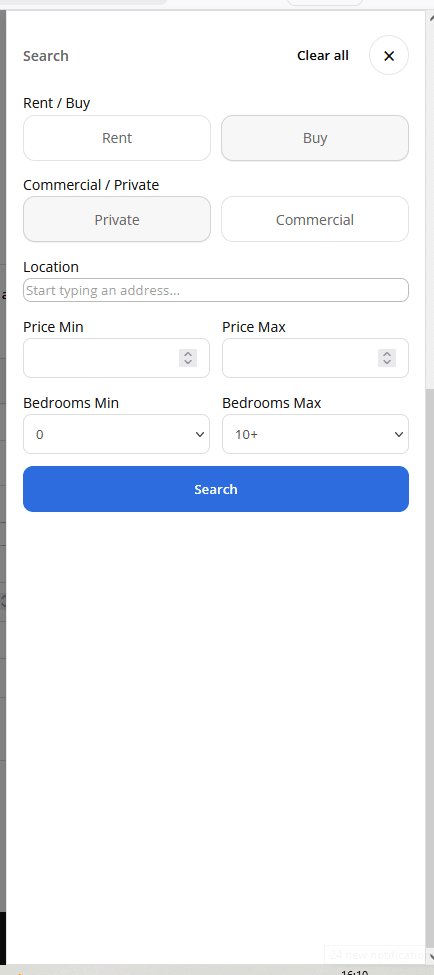
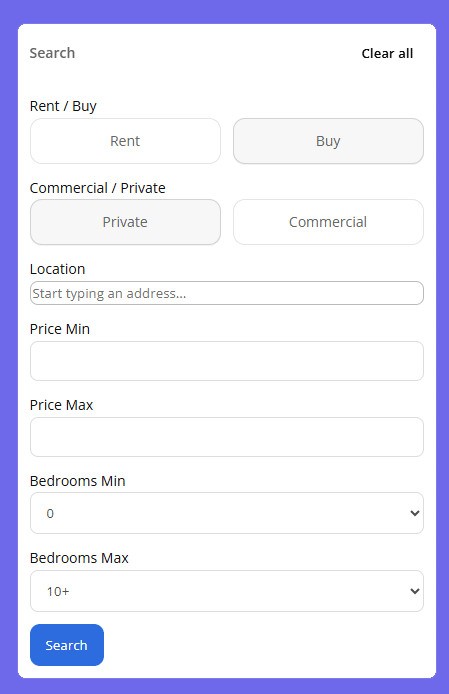
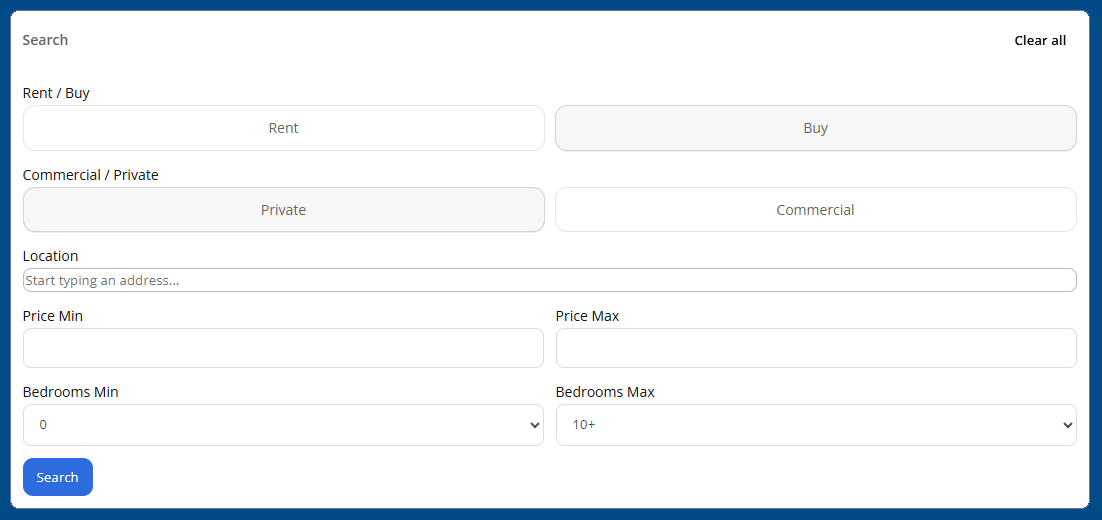
[arrowd_acdl_search layout="vertical|horizontal|popup"]
It renders a modern search UI with:
-
Rent / Buy toggle
-
Commercial / Private toggle
-
Location input with suggestions (supported by an internal rolling index stored in WP options)
-
Min/Max price
-
Min/Max bedrooms (auto-hidden when commercial scope is selected)
-
Clear all
-
AJAX results container
And crucially: you can show the form inline, horizontal, or as a popup with an overlay.
This is exactly what visitors expect in 2026: a quick filter tool that doesn’t reload the whole page and doesn’t feel like an old-school “search form from 2009.”
What problems this solves (real scenarios)
“We need a For Sale page that updates itself.”
Use:
-
Default query JSON set once in admin
-
[arrowd_acdl_listings ad_type="sale" scope="private"]
Now your page isn’t a manual chore. It’s an asset that stays current.
“We do commercial and need to filter to ‘To Let’ only.”
Use:
-
commercial scope
-
contract filter
-
query_json for extra constraints
Example:
[arrowd_acdl_listings scope="commercial" contract="rental" query_json='{"perpage":12,"p":1}']
“We want visitors to search without leaving our site.”
Add:
[arrowd_acdl_search layout="popup"]
Now your site behaves like a modern property portal while still being your brand, your domain, and your enquiry flow.
“Our theme is custom and we don’t want heavy overrides.”
This plugin already outputs structured HTML with predictable classes, and it includes base styling that your theme can override where needed.
You can start with defaults, then refine with CSS—without rewriting templates or building custom loops.
Setup: how fast can you get it working?
Here’s the typical setup path:
-
Install & activate the plugin
-
Go to WP Admin → API For Daft
-
Paste your Daft API key
-
Click Validate (confirms the key works from your server)
-
Set your default scope, ad type, and default query JSON (optional)
-
Add a shortcode to any page
Most users can get a first listings page live in minutes.
Important requirements (transparent + practical)
You must have a Daft API key
This plugin is an integration tool. It assumes your organisation has access to the Daft API.
Your server must have the PHP SOAP extension enabled
Because the Daft integration uses SOAP, your hosting environment needs SoapClient available. The plugin displays a clear admin warning if it’s missing.
This isn’t a “gotcha”—it’s a reality of SOAP-based feeds, and the plugin makes it obvious upfront.
Why this is the smart buy (and not just “another plugin”)
There are two ways to get listings on your site:
Option A: Custom build
You pay a developer:
-
to connect SOAP
-
to structure query parameters
-
to render listings
-
to handle images
-
to add caching and lazy-loading later
-
to maintain it across WP updates
It works, but it becomes a dependency.
Option B: A focused connector built for the job
You install once, configure once, then scale your pages as needed—sale, rental, commercial, new development—by reusing shortcodes and updating JSON queries.
That’s what this plugin is: a connector you can actually operate as a business owner or site admin, not a developer-only tool.
Feature checklist
-
Daft.ie SOAP API connection (via API key)
-
Admin UI with save + validate workflow
-
Module toggles for caching, lazy media, query builder
-
Listings shortcode with flexible attributes
-
Default query JSON (merged with shortcode overrides)
-
Card or list layout
-
Optional images
-
Optional popup image gallery overlay
-
Optional beds/baths, area, features list
-
Front-end search shortcode (vertical/horizontal/popup)
-
Search styling options (form background, label colour, button colours)
-
Location suggestion support using a rolling stored index
-
Clean CSS classes for easy theme overrides
-
Clear “not affiliated with Daft.ie” messaging
Who this is for
This plugin is ideal for:
-
Estate agents who want listings on their own website
-
Developers building WP sites for property clients
-
Agencies migrating from brittle theme shortcodes
-
Teams who want commercial/private pages without rebuilds
-
Anyone who wants to keep traffic (and enquiries) on their own domain
What you’ll notice after installing
Your website becomes more “alive”
Visitors see fresh inventory and real details. That alone increases trust.
You create pages faster
A single shortcode + a saved default query can power multiple pages.
You spend less time on maintenance
Optional caching and lazy loading reduce performance issues.
Your enquiries feel more intentional
Because visitors can browse and search in a smoother flow.
You must be logged in to post a review.


Frequently Asked Questions
Quick answers to the most common setup and compatibility questions.
Do I need a Daft API key to use this plugin?
+
My site shows an error about SOAP / SoapClient. What does that mean?
+
How do I display listings on a page?
+
[arrowd_acdl_listings] to any page. You can optionally set attributes likead_type,scope, andquery_json for filtering.
Can I set default search filters (so I don’t repeat JSON everywhere)?
+
query_json passed in a shortcode is merged on top of your defaults, so you get consistent behaviour with per-page overrides when needed.
Does it support commercial listings and “to let / for sale” filtering?
+
scope="commercial" and (optionally) contract="sale|rental|any" to filter commercial results by contract type.
Can I change the layout or hide certain details?
+
Does it include a front-end search form?
+
[arrowd_acdl_search layout="vertical|horizontal|popup"] for a modern front-end search UI with AJAX results.
Is this plugin affiliated with Daft.ie?
+
Tip: If you want this FAQ to match your brand, you can safely change the background colours and border radius values above—no extra CSS files needed.


Reviews
There are no reviews yet.