
Custom Image Slider
€99.99
Custom Image Slider is a design-first WordPress slider built for clicks, conversions, and control. Create fully responsive, clickable image sliders that showcase products, brands, content, and calls-to-action — without bloat or complexity.
Design-First Slider Built for Clicks, Control, and Conversions
Most image sliders look impressive at first glance until you try to use them. Very few actually do what is needed, and if they do, they either slow your website or negatively affect SEO.
They consume attention, and then… nothing happens.
No clicks.
No engagement.
No movement toward a goal.
Custom Image Slider was built to solve that problem.
This is not a “look what I can animate” plugin.
It’s a purpose-built visual navigation system for WordPress — designed to turn images into intentional actions.
The Real Problem with Most Sliders
Let’s be honest about the state of sliders in WordPress.
Most of them fall into one of three categories:
-
Overdesigned and overengineered
Packed with dozens of settings, heavy JavaScript, unnecessary effects, and unpredictable behaviour. -
Theme-dependent and fragile
They look fine in demos, then break spacing, alignment, or responsiveness as soon as they meet a real site. -
Visually passive
They rotate images but don’t guide the user anywhere meaningful.
The result?
-
Sliders that slow pages down
-
Sliders that confuse users
-
Sliders that designers avoid touching
-
Sliders that exist purely because “a slider should be here”
Worst of all, they waste prime screen real estate — the most valuable space on your site — without producing results.
Why Visuals Must Do More Than Look Good
Images are powerful.
Movement is powerful.
But direction is what converts.
When users land on a page, they are constantly asking one question:
“What should I do next?”
If your slider doesn’t answer that question clearly, it becomes noise.
Custom Image Slider treats every slide as a decision point — an opportunity to guide the user to a product, a page, a service, or a conversion action.
Every image is clickable.
Every click is intentional.
Every slider has a purpose.
Built for Designers Who Care About Outcomes
This plugin was built with a very specific user in mind:
Designers, developers, and site builders who want control — and measurable results.
Not hobbyists chasing flashy effects.
Not marketers hacking together bloated tools.
Not themes forcing opinionated layouts.
Custom Image Slider respects:
-
spacing
-
hierarchy
-
intent
-
responsiveness
-
predictability
It fits into professional builds without fighting your design.
A Slider That Works With Your Layout — Not Against It
Wrapper Control That Actually Matters
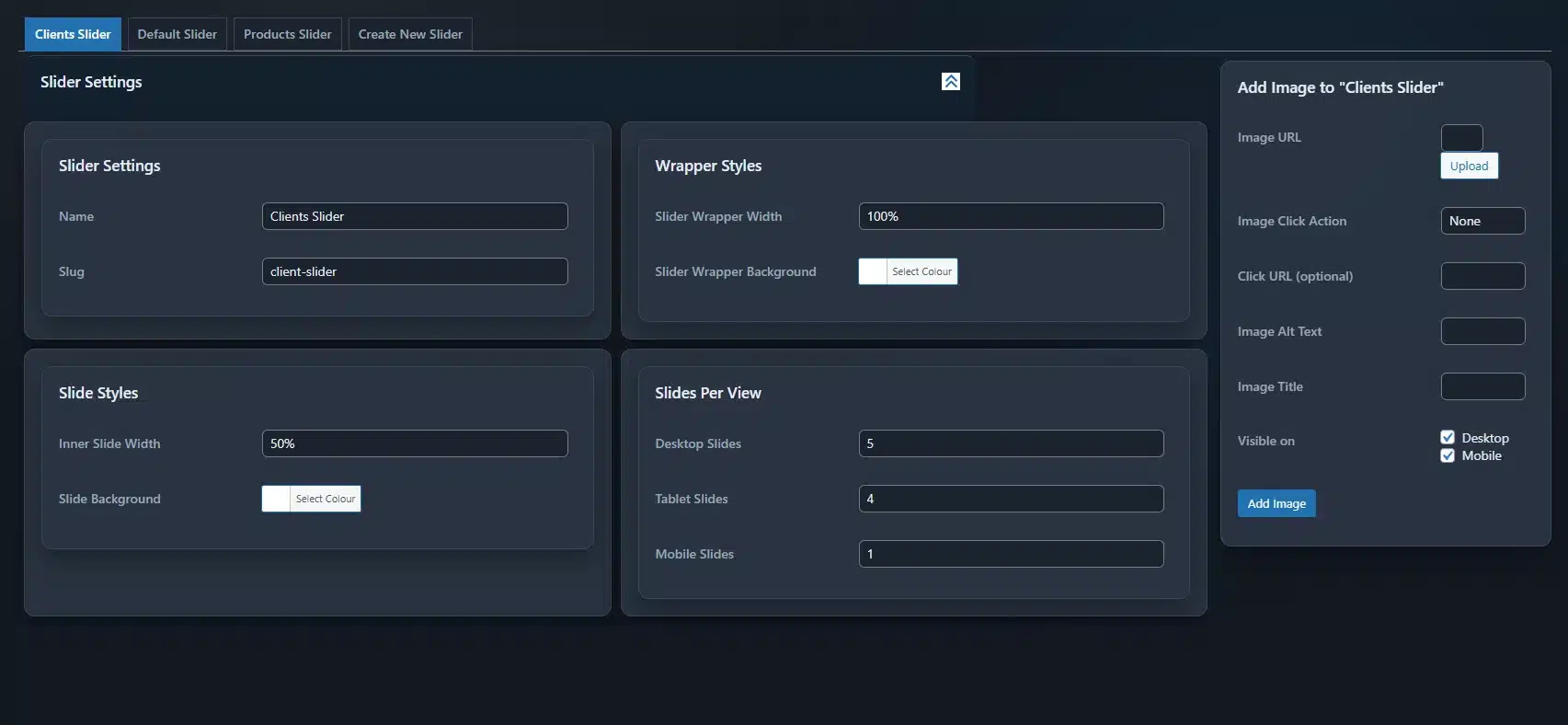
With Custom Image Slider, you control the wrapper width directly.
Full-width hero section?
Contained layout inside a grid?
Fixed-width showcase?
You decide — without custom CSS.
You can also set a wrapper background colour, allowing the slider to sit cleanly on any page, regardless of the surrounding design.
Slides Designed as Components, Not Decorations
Each slide is treated as a layout component, not a static image.
You control:
-
Inner slide width
-
Slide background colour
-
Spacing behaviour
-
Visibility across devices
This makes it easy to create:
-
clean carousels
-
partially visible slides (to signal movement)
-
logo rows
-
product showcases
-
content previews
All without hacks.
Responsiveness Without Guesswork
Responsive design is not optional — and it shouldn’t be an afterthought.
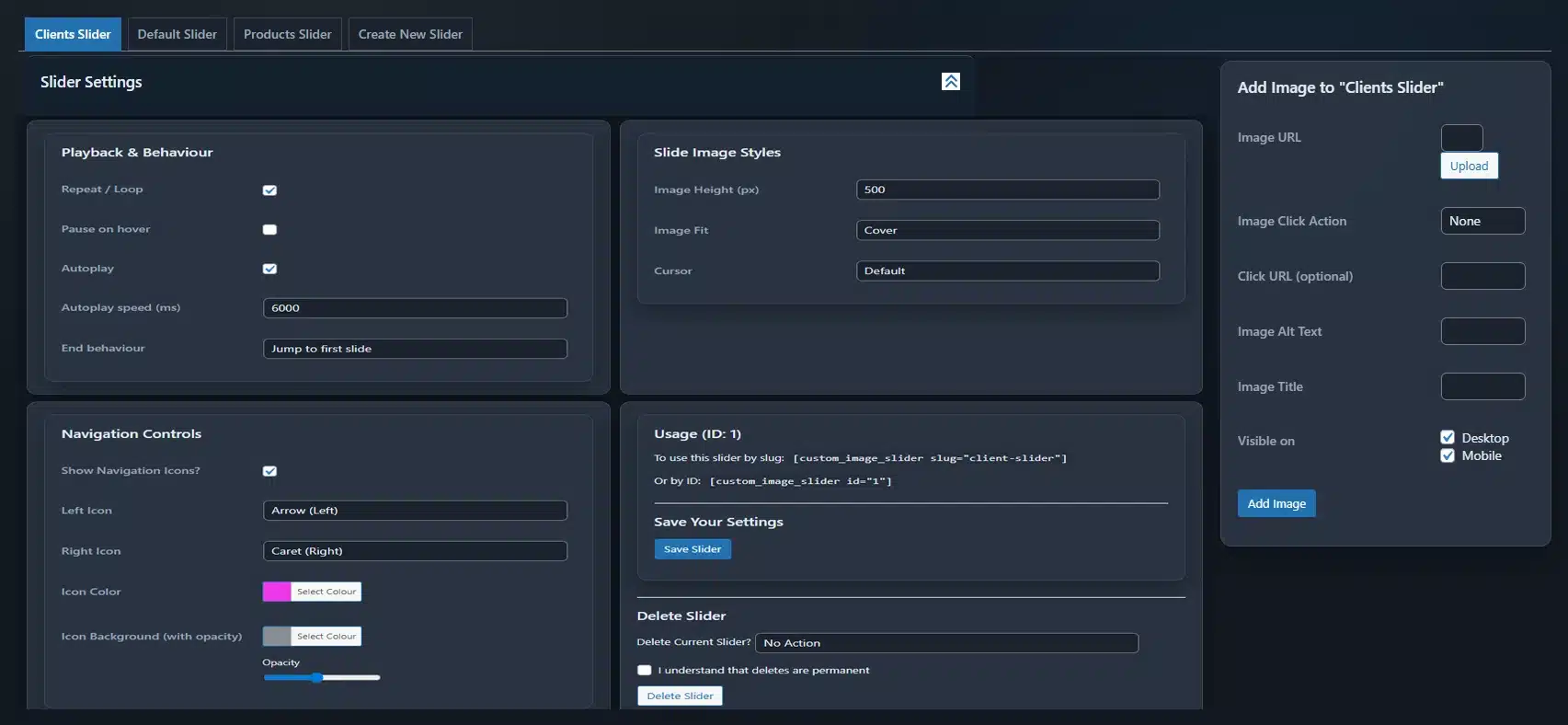
Custom Image Slider lets you explicitly define:
-
how many slides appear on desktop
-
how many appear on tablets
-
how many appear on mobile
This means:
-
no crushed logos on mobile
-
no unreadable content
-
no awkward scaling
-
no “hope it works” breakpoints
You control the experience, device by device.
Behaviour That Matches User Expectations
Nothing breaks trust faster than unexpected behaviour.
This plugin gives you predictable, intentional playback controls:
-
Enable or disable looping
-
Pause on hover to respect user attention
-
Enable autoplay when appropriate
-
Control autoplay speed precisely
-
Define what happens when the last slide is reached
Whether you want:
-
continuous motion
-
subtle progression
-
or fully manual navigation
You’re in control.
Navigation That Enhances — Not Distracts
Navigation controls should guide users, not dominate the design.
With Custom Image Slider, you can:
-
show or hide navigation icons entirely
-
choose left and right icon styles
-
control icon colour
-
add background colour with adjustable opacity
This allows navigation to remain visible without overpowering your content — especially important for minimalist or brand-sensitive designs.
Image Behaviour That Respects Content
Images are rarely uniform — and forcing them to behave badly is a mistake.
You can control:
-
image height
-
image fit behaviour (contain or cover)
-
cursor style on hover
This ensures:
-
logos don’t get cropped
-
products remain readable
-
visual hierarchy stays intact
-
clickable slides feel interactive
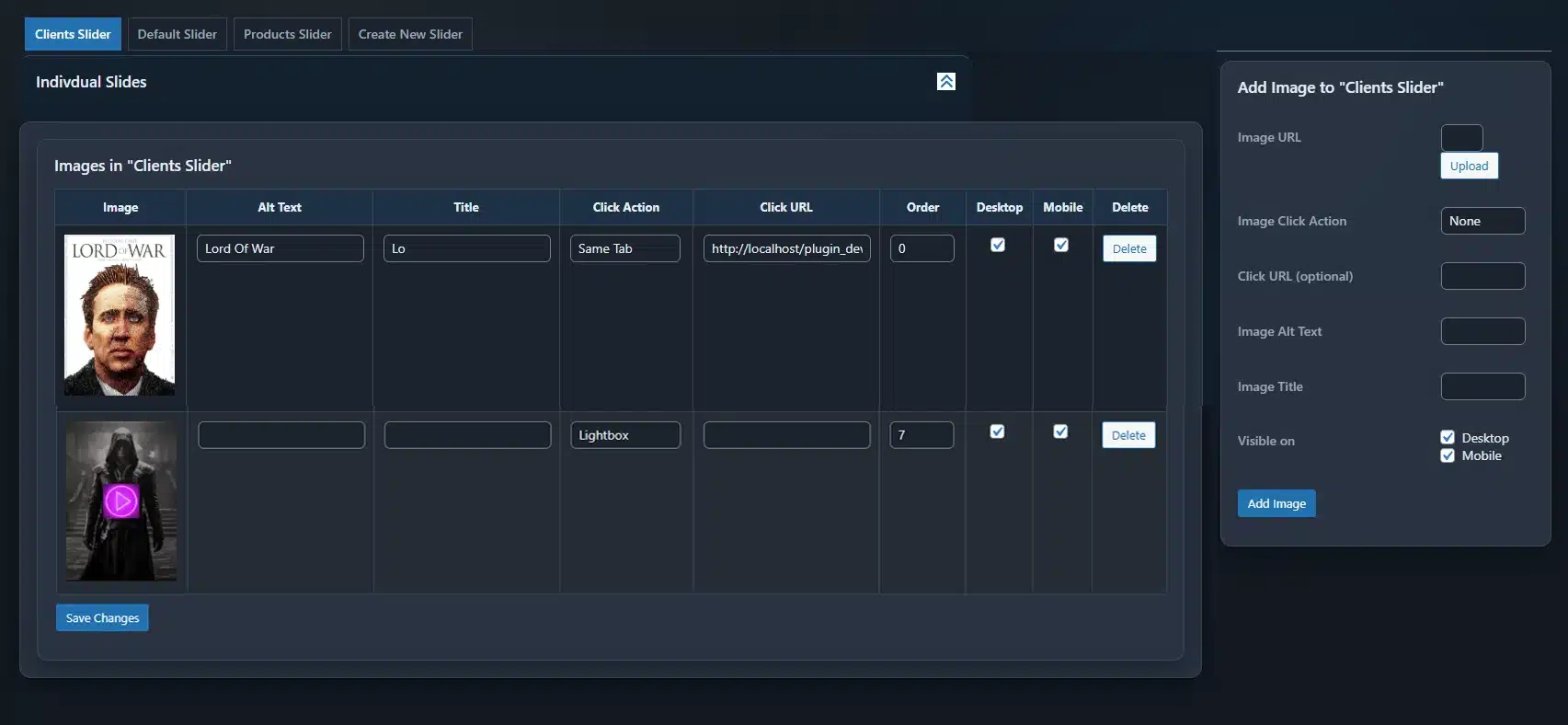
Every Slide Is a Clickable Opportunity
This is where Custom Image Slider truly separates itself.
Each slide can:
-
link to a product
-
link to a page
-
link to a service
-
link externally
-
or perform no action at all
This makes the slider a navigation layer, not just a visual element.
You’re not just showing images.
You’re guiding users.
Perfect for Real-World Use Cases
Custom Image Slider excels in practical, high-value scenarios:
Product Showcases
Highlight featured or best-selling products and send users directly to purchase pages.
Client Logos & Brand Partners
Build trust instantly with clean, responsive logo sliders that don’t distort branding.
Testimonials & Social Proof
Pair images with credibility and guide users toward case studies or reviews.
Campaigns & Promotions
Drive attention to seasonal offers, launches, or limited-time pages.
Portfolios & Case Studies
Show work visually and link directly to deeper project pages.
Content Promotion
Feature blog posts, guides, or resources without relying on text-heavy layouts.
Services & Landing Pages
Use visuals to lead users into key conversion paths.
Team & Culture
Introduce people behind the brand without cluttering the page.
Events, Properties & Galleries
Present visual collections in a controlled, navigable format.
Call-to-Actions That Convert
Turn images into intentional prompts, not passive decoration.
What Happens When You Don’t Use a Tool Like This
Without a purpose-built slider:
-
Images become passive
-
Navigation becomes fragmented
-
Attention is wasted
-
Users scroll past without acting
-
Designers avoid updating content
-
Marketing opportunities are missed
You end up with:
-
static sections that don’t guide users
-
bloated plugins you’re afraid to touch
-
layouts that look good but underperform
Custom Image Slider exists to prevent that.
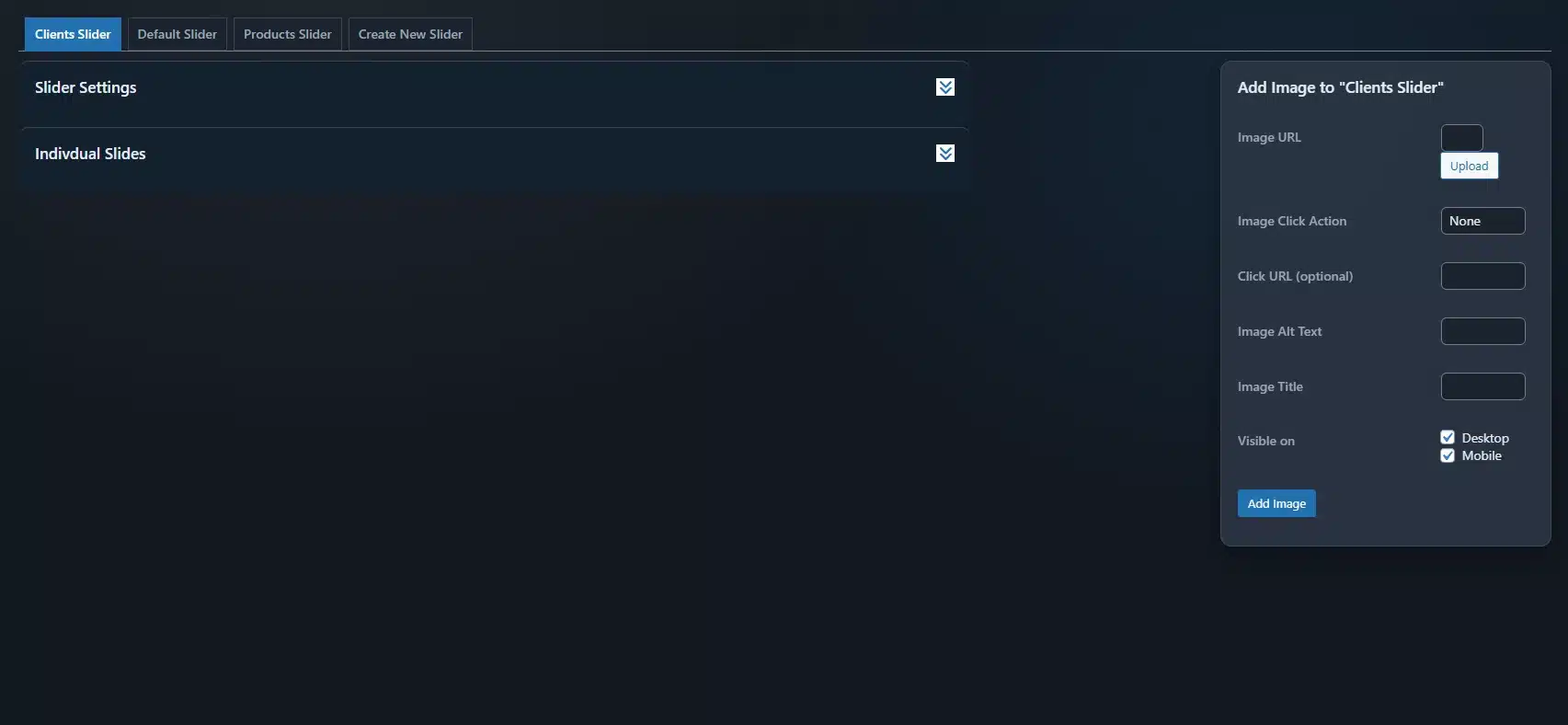
Clean Admin Experience, Built for Speed
The admin interface is intentionally clean and structured.
-
No clutter
-
No unnecessary options
-
No hidden behaviour
You can:
-
create sliders quickly
-
add and edit slides efficiently
-
reorder slides easily
-
save settings without page reloads
-
delete sliders safely with confirmation
Everything works exactly as expected — because predictability saves time.
Lightweight by Design
Performance matters.
Custom Image Slider avoids:
-
heavy animation libraries
-
excessive DOM manipulation
-
unnecessary scripts
This keeps your site:
-
fast
-
stable
-
maintainable
Because conversions don’t happen on slow pages.
Designed to Scale With You
Whether you’re building:
-
a single landing page
-
a full WooCommerce store
-
a client site
-
or a reusable design system
Custom Image Slider scales cleanly — without forcing you into a specific workflow.
Visuals That Work, Not Just Rotate
At its core, Custom Image Slider is about intent.
It respects design.
It respects users.
It respects performance.
And most importantly — it respects the fact that visuals should do something meaningful.
Custom Image Slider
Because images should guide users — not just move across the screen.
You must be logged in to post a review.





Reviews
There are no reviews yet.